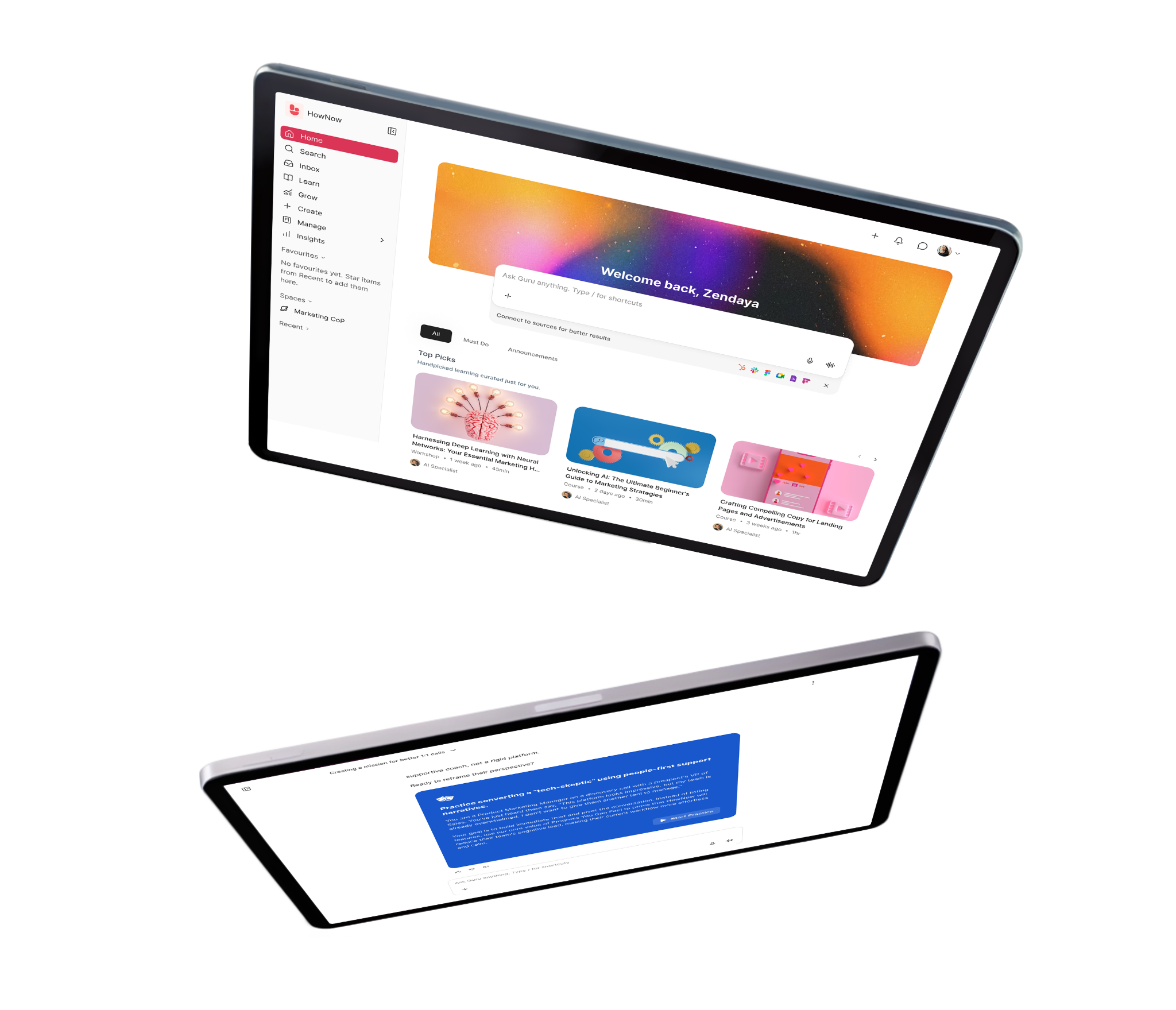
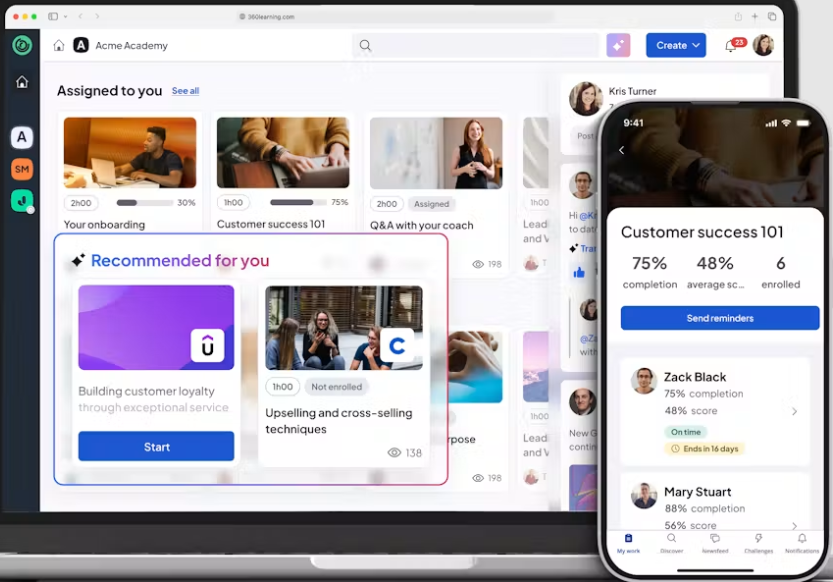
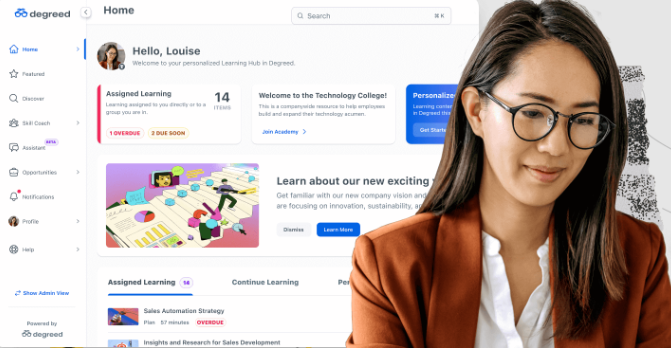
Want Easy And Engaging Compliance Training? HowNow Helps You Do Both!

Author:
Gary
PUBLISHED ON:
June 15, 2022
June 26, 2023
PUBLISHED IN:
Product Updates

Getting employees to complete compliance training is the workplace equivalent of trying to give a dog a bath! You’ll get met with resistance, ignored altogether or have people just run away a lot of the time.

And in the same way that you can’t really blame a pooch for not wanting to get its paws wet, you can understand employee reluctance to mandatory training.

Too boring, too long, not relevant, too busy – building a word cloud of employee compliance perceptions would leave you needing a support dog to stroke away all the stress and negativity.

And that takes its toll on leaders too, especially the ones managing it manually! They’re chasing people up, firing out emails as deadlines approach and generally overwhelmed by the consequences of what might happen if they don’t hit the target.

So what if there was a better way? A world where engaging compliance training was the norm, and managers lives were made easier when it came to managing the process.

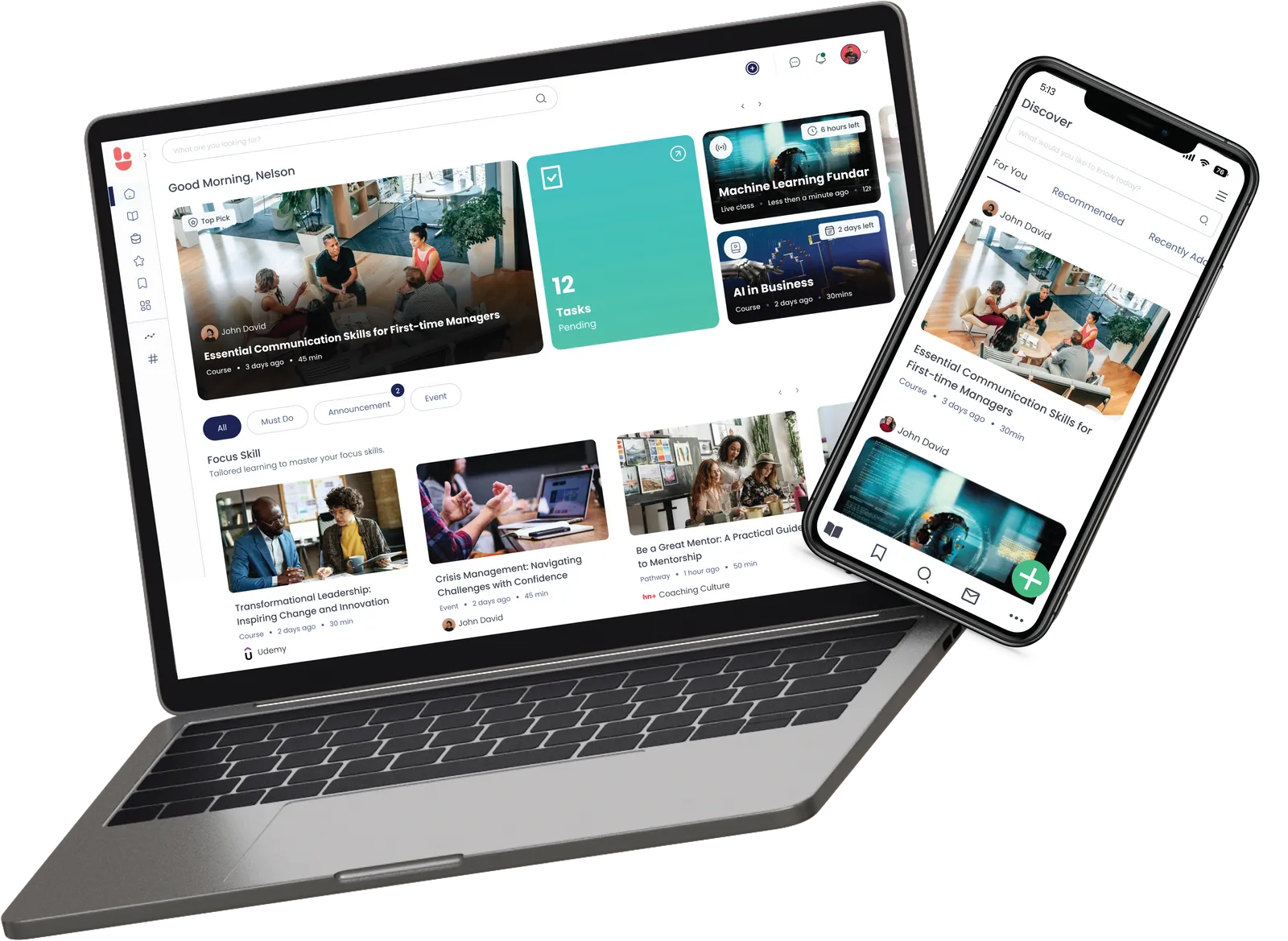
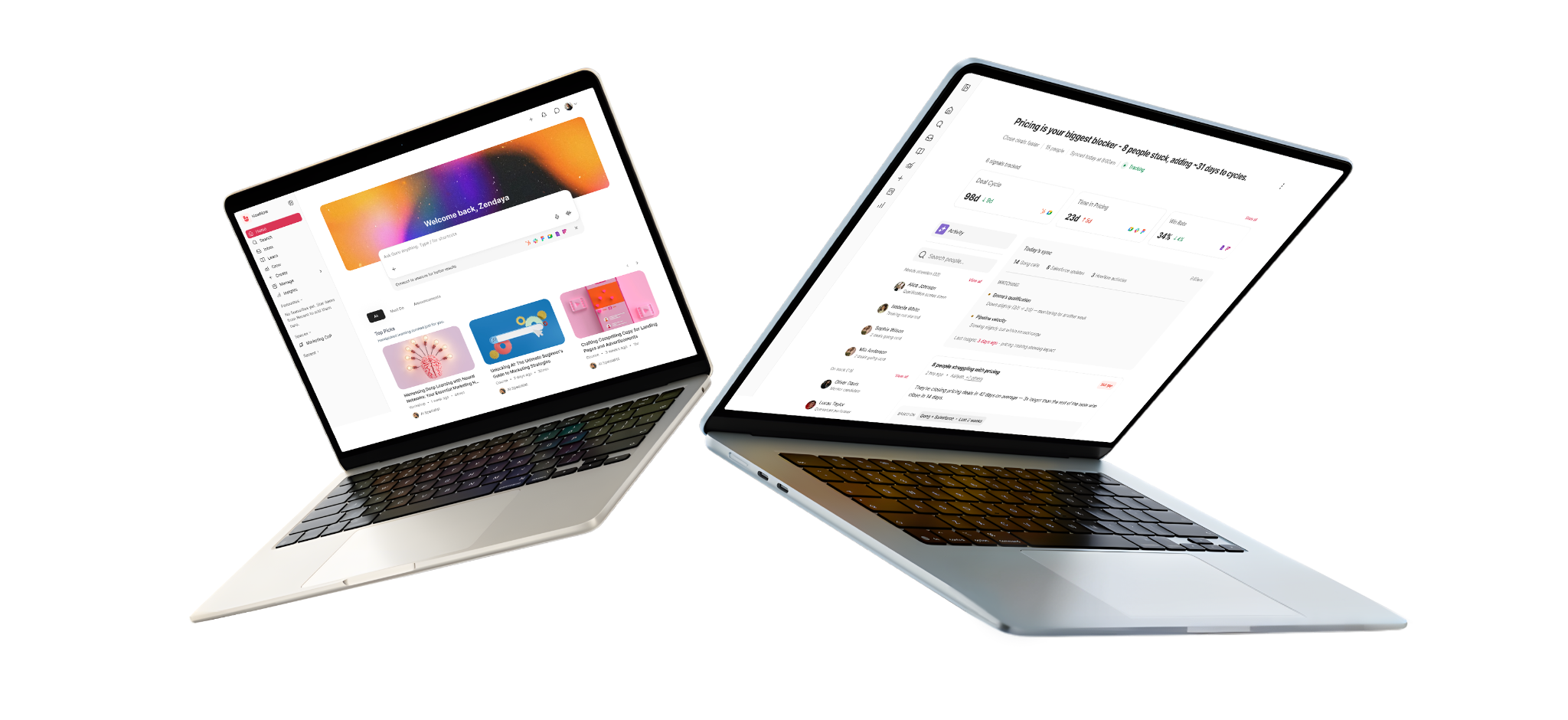
Good news, there is! HowNow, our modern learning experience platform, built for the way people learn today. We’ll explain how, but first, we need to explain the full scope of the problem.

Why do people hate compliance?

For a lot of reasons! It’s too long, it’s not relevant, they’ve struggled through it before, it doesn’t feel related to their role, and there’s often a scaremongering of potential consequences.

And we’ll break all this down now, with some of the key numbers you should know.

Why aren’t employees engaged or managers finding it easy to manage?

Bored learners aren’t engaged – and that’s the secret sauce for compliance

Without labouring the point, current compliance training just doesn’t push the right buttons. Employees think it’s too long, they don’t exactly love the formats and often find it irrelevant. Research shows that:

  • 70% of compliance is over 30 minutes long, while people want bitesize content that comes in at the 20-minute mark or under.
  • 34% say that they only skim-read content or tune out for video and audio. 15% bluntly revealed that they click through without reading or listening to the content.
  • Only 45% of employees feel their company’s compliance training is specific to their team or role.

When content is as counterintuitive as this, it’s no wonder we’re lacking engaging compliance training!

And L&D teams and managers are part of the problem. Whether it’s the content we’re creating or curating, compliance seems to miss out on the same microlearning approach we apply to other learning content.

That more is less mindset is probably why employees are so open about the struggles of engaging with the content, especially if L&D isn’t effectively segmenting people so that only relevant employees are completing compliance.

The risks and struggles of non-compliance

You have to feel sorry for leaders, L&D managers and anyone else responsible for compliance. They’re juggling quite a few balls, but they’re all on fire, and that poor soul is standing on a sheet of ice.

Non-compliance can have dire consequences, getting people to understand that value or importance is tricky, and the tools they’re using aren’t always making life easier.

The risks

At the most extreme end of the scale, GDPR errors can cost companies 10 million euros! Failure to maintain health and safety compliance could hit your pocket to the tune of £150,000, and even on an individual level, carers, drivers and those looking after children can all face fines when they’re not up to date with certain qualifications.

And that’s the worst case in 50 words. On top of that, you’ve got the top of the food chain expecting you to do it in a timely, accurate and potentially cost-effective fashion.

The struggles

We’ll also keep this brief because we’re going to explain these problems and how you can tackle them in more detail very shortly, but…

L&D teams are normally limited when it comes to content. They’re picking out a course from one provider that needs to serve multiple people, and so there’s a pressure to play it safe. As we know, this actually means they end up playing it boring in a learner’s eyes

At the same time, they’re either using technology that’s a hindrance or facing the biggest hindrance of no supporting tech at all! Either way, they’re under a mountain of work. Updating spreadsheets, sending out reminders, trying to work out the overall progress at regular intervals. That’s how deadlines get missed, and employees who’ve completed training keep getting irrelevant emails.

Last of all, we’ve got the issues of reporting and visibility. When leaders ask for a real-time snapshot, legacy tech and manual management make that an arduous task. Not to mention the fact that not all compliance training needs to be completed at the same time. If health and safety is repeated on a yearly basis, that’s a year from the moment each employee last finished it – and that will be different for every employee.

Ultimately, this teaches us two things: Compliance needs to be easy to manage for managers and engaging for the end user.

Using HowNow to deliver engaging compliance training EVERYBODY loves

Switching up the compliance content

From formats to length, we know that employees are frustrated with compliance content! And it’s tricky for L&D teams because they typically have to buy one course to cover everyone…

Not anymore! HowNow+ brings learning content for more than 10 business-critical topics into one single platform and subscription. All handpicked and from the best providers in the business.

This means you can offer varied and diverse content types without having multiple fees, invoices or platforms to manage! Everything’s delivered and reported through our learning experience platform.

HowNow+ The best learning content, one single subscription

Learn more about HowNow+ here.

Using data and integrations to segment more effectively

Remember that less than half of employees feel their compliance content is relevant to them and their team! And that’s because it’s often rolled out to people who *might* be relevant, rather than everyone it *will* be relevant to.

Taking the time to segment your audience not only overcomes this obstacle but it’ll help you rebuild compliance’s reputation. You’ll soon have people saying, “This is something relevant to me, and it’ll probably help me perform my role better.”

HowNow helps forward-thinking companies achieve this in two simple ways:

  1. Integrate with your HRIS to use employee data in delivering learning content. From when someone joined to the qualifications they’d achieved in previous roles, this is a useful weapon in your relevance arsenal.
  2. Building groups in HowNow and delivering the right content to the right people. Let’s say you’re a global company with sales teams across the world, in places where the rules and regulations differ. By building regional sales groups, you can assign relevant content to relevant audiences.

Automating recurring content in clicks

Imagine everyone needs to complete the same course by the same date, seems an easy enough thing to manage. In practice, it’s typically more difficult, but the biggest challenge is when compliance needs to be met by multiple people on multiple dates.

Let’s say there’s a course each employee has to do on a yearly basis, with the new deadline determined by their last completion date. This is where legacy or lack of tech can make L&D a living hell – you’ve got to keep track of each date, chase each person up and get it all done by each individual deadline.

We’ve got the solution! A single toggle lets you set content with a renewal cycle, automating its delivery in the future and sending reminders via email, Slack and Microsoft Teams. You set that renewal cycle, we do the rest.

Recurring Dates feature to manage compliance and repeating courses

Reporting in real-time

We mentioned managing stakeholders earlier, and that’s because it can be one of the most stressful parts of compliance. The CEO knocks on your door and asks how many employees have completed the required courses.

Wouldn’t it be great if you could answer in a matter of seconds?

HowNow provides real-time reports into compliance, helping you understand who’s compliant and who needs chasing up! Filter by course, job role, Users and other criteria to build even more relevant snapshots of your compliance picture.

Our latest update also adds a handy tab to all @Must Do content, allowing people to see what’s essential before focusing on the next steps of their learning journey.

HowNow's Must Do compliance reporting feature

If you’d like to chat compliance or see these features in action, book a demo today and we’ll be in touch!

Check out our other compliance training resources


Want a 5x better engagement than a traditional LMS
Demo Hownow

Be in the know

More articles

Quick summary

Docebo and Litmos both train employees, customers, and partners from one platform. On the basics, they look almost identical. Docebo puts its AI copilot in the entry tier, and it documents the product publicly, so you can check the limits before buying. Litmos saves most of its AI for the top tier, but it offers a free trial and has an established compliance track record.

Two platforms selling the same promise

Docebo and Litmos say much the same thing on their homepages. Both promise that one platform will train your workforce, your partners, and your customers. They're both telling the truth, and that's exactly why it won't help you choose between them.

So it's more useful to look at what each one leaves off its public pages. That gap is usually what you end up emailing an account manager about six months later.

This guide compares Docebo and Litmos on what you can check before you buy, which tier the AI comes with, and how each one proves compliance.

Why listen to us?

Hownow has helped Trainline cut their compliance time in half, and watched TomTom hit 90% learner activation when they launched TomTom Academy. 

We've seen the same at GovNet, who lifted engagement by 36% in three months, and at Hotelplan, who mapped over 300 job roles in a month.

We also work with Investec, Depop, Crunchyroll, and HM Government. So we've sat through plenty of these evaluations against both Docebo and Litmos, and we know which questions save you trouble later.

Docebo vs. Litmos: An overview

Both companies positioned themselves for the AI era in the last year. So plenty of what's written about them describes an older product. Docebo launched AgentHub at its Inspire 2026 event in April, its biggest release yet, and its MCP server reached general availability in July 2026. 

Litmos now calls itself a Learning Acceleration Platform, though its own navigation still says LMS.

Docebo Litmos
What it calls itself An AI Workforce Readiness Platform A Learning Acceleration Platform
Free trial None, demo request only Yes, 14 days
Published price Not published Three tiers all say "Contact for Pricing"
Published feature list by tier Not published Full feature-by-tier matrix on the pricing page
Public documentation Open help centre, limits included Behind a customer login
AI on the entry tier Harmony copilot and search included None, four of the five AI features are top tier only
Named customers Zoom, Booking.com, PwC HPE, Sabre, Graco, ADP

What Is Docebo?

Docebo is a learning platform that trains employees, customers, and partners. It puts AI into the admin side, so you can ask a question instead of building a report. The company describes itself as unifying skills intelligence, learning, and knowledge in one. The platform uses self-declared skills and surveys and then sends the right learning,

How it works

Day to day, most of your time goes on setting up where everyone belongs. That means branches that mirror your org chart, groups that fill themselves by rule, and enrolment rules that connect those groups to courses.

Docebo advises against putting anyone in more than one branch, since that makes user management messier. Groups recalculate automatically as platform activity changes, and you can't manually remove someone who still matches the rule.

Key features

  • Harmony: An admin copilot that answers plain-English questions about compliance rates or enrolment trends, so you're not building the report yourself.
  • MCP Server: Connects Docebo to Claude, ChatGPT, Copilot, or Gemini, so people can manage enrolments from the assistant they already use.
  • Enrolment rules: Automatically enrols a whole group or branch into a course the moment someone joins it.
  • Skills Intelligence: Detects skills across your workforce, spots the gaps, then routes people to the learning that closes them, powered by Docebo's 365Talents acquisition.

Pros

  • Intuitive interface, easy for both admins and learners to navigate
  • Highly customisable with branding, layouts, and multi-audience portals
  • Responsive, knowledgeable customer support

Cons

  • Steep learning curve for setup and advanced configuration
  • Limited batch actions and native content authoring tools
  • Basic reporting, often needs manual export for deeper analytics

Docebo is best for

Docebo suits larger L&D teams that want deep configuration and AI in the platform, and have the time and technical know-how to set it up.

Docebo rewards teams with the time and technical know-how to configure it properly. The depth is real, but so is the setup curve. 

Pricing

Docebo names its tiers but doesn't price them. The pricing page lists Elevate and Enterprise, both custom-priced. It does explain the billing model, though: tier plus active users, counted monthly, yearly, or registered.

Minimum contract is one year, though most sign for three to five. Docebo says it suits you best at 250+ learners. There's no free trial, so a demo is the only way in.

What Is Litmos?

Litmos has sold learning software since 2007, and now describes itself as growing from a fast-deploying LMS into a full AI-powered learning platform. It trains workforces, partners, and customers, same as Docebo, and most of its marketing targets regulated industries. 

How it works

Its healthcare pages talk about audit-ready reporting for Joint Commission, CMS, and state surveys. The structure is simpler than Docebo's: you put people into teams and sub-teams, and courses auto-assign down to those sub-teams. Learning paths sequence courses with prerequisites and timed release. 

Multi-audience training runs through branded portals, which give customers and partners their own space while you keep one admin login. 

Key features

  • Brands: Separately branded portals for customers, partners, and resellers, all run from a single admin login.
  • Escalations: Notifies the learner about a missed renewal, then their manager, then further up the chain if the deadline still passes.
  • Continuing education: Tracks CE credits against the rules you set, with the record ready when a regulator asks for it.
  • Content collections: Pre-built libraries by subject, including healthcare compliance from American Medical Compliance and OSHA training from HSI.

Pros

  • Ease of use, praised across admin and learner sides
  • Responsive support, often with a dedicated account manager
  • Intuitive interface with strong localisation for global teams

Cons

  • Reporting is the top complaint; it's clunky and needs manual CSV work
  • Limited customisation for smaller teams
  • Missing features and integration gaps in places

Litmos is best for

Litmos suits leaner teams and regulated industries that want compliance evidence and a fast, simple rollout more than deep customisation.

Litmos is simpler and faster to run, though you'll hit a wall sooner on reporting. 

Pricing

Litmos publishes no price either. Its plans page lists Foundation, Platinum, and Platinum AI, all under the same "Contact for Pricing" button. 

Key differences between docebo and litmos

Here are the differences that make Docebo and Litmos stop looking alike. 

You'd expect to try a platform and read up on how it works, but with these two you only get one. Litmos lets you into the product; Docebo lets you into the documentation.

Why docebo is the stronger choice

Docebo includes its AI on the cheaper tier. Harmony, the copilot and search layer, is listed in Elevate, the entry tier. Conversational insights lets an admin ask about enrolment trends or compliance rates in plain language, without opening a dashboard. 

And the MCP server, generally available since July 2026, connects Docebo to Claude, ChatGPT, Microsoft Copilot, and Gemini. It needs the enterprise or team plan of whichever assistant you use, so it costs more if your company runs on consumer accounts.

Litmos, by contrast, bundles all of its AI into Platinum AI, the top tier. AI Assistant, AI Content Authoring, AI/ML Video Assessments, AI Playlists, and AI/ML Video Tagging all sit up there as a set. 

There's no AI in the reporting either, so to find your compliance rate you build a report the ordinary way. Litmos doesn't publish any connection to ChatGPT, Claude, or Copilot.

Docebo is the more open of the two about how the product actually behaves. No trial, and the pricing page sends you to a demo booking. Its enrolment rules article says plainly, in its own words, that enrolment rules are not retroactive. Only users added to a group or branch after a rule is activated get enrolled; existing members don't. It also documents that enrolment validity dates run on UTC, so a learner outside UTC can see access open or lock a few hours off from what you'd expect.

If you're a small L&D team, that openness counts for a lot. You're the one who'll be living with those limits, and you're the one building the business case.

Why litmos is the stronger choice

Litmos lets you try before you buy. There's a free trial, confirmed independently by G2, alongside Docebo's own review page, which lists no trial at all. You can see the interface, load a course, and click through a learning path yourself. Litmos also scores noticeably higher than Docebo on G2's "Ease of Setup" rating (8.4 vs. 7.7 out of 10), which tracks with what a hands-on trial buys you.

On compliance, Litmos is the steadier of the two.

You set an expiration window on a course or a learning path. From there, Litmos sends the reminders, re-enrols people, and records who's done what. If somebody misses the deadline, Litmos emails them, then their manager, then whoever's above the manager. 

Every tier includes e-signature, so you can capture a signed acknowledgement on a policy without paying more. Continuing education awards run on rules you configure, though you'll need Platinum or above for that one. 

The platform also keeps a time-stamped training history you can export. You can buy healthcare compliance libraries from American Medical Compliance and OSHA training from HSI. It's easy to see why regulated industries keep picking it.

Docebo has all the same compliance features, but it's in the middle of rebuilding them. Certifications are being moved inside the learning plans area. Docebo's help centre labels that new experience as beta software, due for public release at the end of August 2026. Legacy certifications carry on running next to it, meaning two parallel systems while the migration finishes. 

A few details are worth knowing before you commit. Assigning a certification to a course won't award it to anyone already enrolled, and you can only attach one certification per course. On top of that, a course marked under maintenance can't renew a certification at all.

The verdict, and where both platforms fall short

Pick the difference that matters most to you before you book a demo. Worried about compliance? Litmos is the safer bet today. Want AI without paying for the top tier, and like to read the fine print first? Go with Docebo.

Here is the catch. Neither platform lets you plan a budget from its website, because both hide pricing behind a sales call. And each one asks you to trade something away.

Docebo gives you AI on the entry tier, but you inherit a steep setup and a compliance module mid-rebuild, with two systems running side by side. Litmos gives you a fast rollout and settled compliance, but most of the AI sits in the top tier and reporting is the first wall you hit.

So the real question is not Docebo or Litmos. It is whether you should be choosing between two compromises at all.

How hownow is a better fit than either

HowNow removes the trade-off. It brings LMS, LXP, skills, and content into one AI-native platform, with coaching and career paths built in. You do not pick between AI, compliance, and clear pricing. You get all three.

One platform for the whole lifecycle, not two systems

Docebo and Litmos both make you run compliance in one place and skills or careers in another. HowNow runs the whole employee journey in a single system, so nothing gets stitched together after the fact.

At HowNow, compliance training runs in the same platform as onboarding, leadership development, and career pathways. So, your evidence isn't scattered across two systems and a spreadsheet. 

That's how Trainline halved their compliance time. We also quote our pricing per organisation, with an ROI calculator on the page, so you're not splitting a budget across a platform licence, a content subscription, and an AI tier.

AI in every tier, with no paywall

Neither competitor gives you AI without a catch. Litmos saves most of it for the top tier, and Docebo needs paid assistant plans to use its MCP server. HowNow includes its AI for everyone.

HowNow takes a different approach, with no AI paywall. Our skills framework pulls from World Economic Forum data and live job listings to map every employee's skills automatically, with no forms or self-assessment surveys to complete. Guru, our AI agent, then coaches people through the gaps it finds, with sources behind every answer. 

Reporting and skills in a single view

Reporting is where both competitors slow you down. Litmos users rank it their top complaint, and Docebo often needs a manual export for deeper analytics. HowNow puts learning, skills, and performance data in one view, so you build a dashboard in seconds.

Content your AI can actually use

HowNow Plus adds a skills-mapped library of over 10,000 curated resources on day one. It plugs into ChatGPT, Copilot, and Claude, so your assistant draws on real learning content, not just a course catalogue.

HowNow Docebo Litmos
Published pricing Per organisation, with an ROI calculator Not published Not published
AI access Every tier, no paywall Entry tier, but MCP needs paid assistant plans Top tier only
Skills mapping Automatic, read from real work Self-declared skills and surveys Not a core focus
Whole lifecycle in one system Yes, onboarding through to careers Learning, plus separate skills tooling Learning and compliance focus
Compliance Runs in the same system as everything else Rebuilding, two parallel systems for now Settled and audit-ready
Reporting Learning, skills and performance in one view Basic, manual export for depth Top user complaint
Content library 10,000+ resources your AI can use Bring your own or buy separately Buy add-on collections
Setup Skills-ready on day one Steep configuration Fast to deploy

Why l&d teams trust Hownow

The numbers make the case better than we can.

TomTom: 90% learner activation across 3,300 employees

TomTom builds mapping and location technology for carmakers and developers worldwide. In late 2024 it launched the TomTom Academy on HowNow to become a skills-based organisation.

Six months in, learner activation reached 90% and every new starter completed onboarding. TomTom mapped around 10,000 skills to content and integrated its full career framework into the platform.

It also merged employee onboarding and customer education into one place, onboarding over 1,000 business customers through the same Academy. Compliance and CRS reporting now run centrally, not across separate tools.

AND Digital: a daily learning habit, and half the curation time

AND Digital is a UK-headquartered technology consultancy of around 800 people, most of them client-facing. It moved to HowNow to keep consultant skills ahead of fast-changing client needs. You can read the full customer story on our site.

After the switch, 75% of employees now visit HowNow every working day. The L&D team cut curation time by half and reduced induction admin by 80%.

Its company-wide AI Ignition programme reached more than 95% of the workforce, and the partnership has since won two Learning at Work Week Awards.

The pattern repeats elsewhere. Trainline halved its compliance time, Hotelplan mapped over 300 job roles in a month, and GovNet lifted engagement by 36% in three months. Investec, Depop, Crunchyroll, Infinity Works, and HM Government run on HowNow too.

The Bottom Line: Docebo, Litmos, Or HowNow?

Docebo shines when you want AI on the entry tier, transparent documentation, and deep configuration, and you have a team with time to set it up. Litmos shines when compliance evidence and a fast, simple rollout matter most, especially in regulated industries. 

HowNow shines when you want one AI-native platform for the whole lifecycle, skills mapped from day one, AI in every tier, and pricing you can plan around.

If you're still comparing options beyond these two, our Cornerstone alternatives guide and our piece on how AI drives personalisation in learning are worth a look before you shortlist.

And if you'd rather not choose between the two at all,  HowNow brings LMS, LXP, skills, and content together in one AI-native platform, with coaching and career paths built in. So compliance and onboarding run on the same system instead of two. Our skills framework is ready on day one, backed by 10,000+ curated resources. Book a demo, and we'll map your skills from your actual job roles on the first call.

FAQs

Is Docebo Or Litmos The Better Fit?

Neither one wins outright. Docebo suits you if you want AI in the platform without buying the top tier, and if you'd rather read the documentation first. Litmos suits you if compliance evidence is your priority, if you work in a regulated industry, or if you want to try the product yourself before committing.

Do Docebo And Litmos Publish Their Pricing?

Neither publishes a price you could plan a budget around. Docebo names Elevate and Enterprise. Litmos names three tiers and marks all of them "Contact for Pricing".

Can You Try Either One For Free?

Litmos offers a free trial. Docebo doesn't offer a trial at all. You can watch a video or take a guided tour on its site. But the only way into the product is a booked demo.

How Long Does Each One Take To Implement?

Litmos publishes timings, which is unusual. Quick Start deployments can go live within days of signing. Core and Pro implementations typically take two to six weeks, and Elite takes longer for complex rollouts. Docebo publishes no timeframe on its own site.

Do Both Train Customers And Partners As Well As Employees?

Yes. Docebo does it through Extended Enterprise, with branded academies on their own subfolders or domains, and up to ten domains on the Enterprise tier. Litmos does it through Brands, giving each audience a branded portal while you keep one admin login. 

How Is HowNow Different From Docebo And Litmos?

Docebo and Litmos are learning platforms with AI added on top. HowNow is AI-native, so skills mapping, coaching, and reporting run through every feature. It also covers the whole lifecycle, from onboarding to careers, in one system, with pricing quoted per organisation.

Docebo Vs Litmos: How The Two Compare For A 250 To 5,000-Person Company

Docebo vs Litmos compared on free trials, docs, AI tiers, and compliance, built for L&D teams at 250- to 5,000-person companies.
Blog
Sep 8
.
5 min read

Quick summary

Cornerstone brings learning into a wider talent suite. If you only need the learning module, you end up paying for tools you'll never open. The right alternative depends on why you're switching, and these three cover the reasons we hear most.

Tool Best for Starting price Rating
HowNow Teams who want LMS, LXP, skills and content in one AI-native platform. Quoted per organisation but publishes price G2 4.5/5
Docebo Training employees, customers and partners from one platform No published price G2 4.3/5
Absorb Putting learning inside the tools people already use every day No published price G2 4.6/5

Why the right replacement depends on what you're actually replacing

You probably inherited a whole talent suite. Or you bought one to use it all. Either way, work out how much your team actually uses. Do you run performance reviews, succession, and recruiting through Cornerstone? Replacing it then means replacing five tools at once. 

Do you only need learning to work properly? Then you're carrying the cost of modules nobody opens. This guide compares 12 Cornerstone alternatives. We look at skills data, content costs, and admin load. You'll also see what you can learn before you even talk to sales.

Why listen to us?

HowNow helped Orbus cut a two-day training process down to two and a half hours. Other customers have seen similar shifts. Infinity Works reached a 97% activation rate in just four months, and at FitFlop, 69% of employees now say they have the L&D access they need.

We work with TomTom, Trainline, Investec, Crunchyroll, Depop and HM Government, many of them the same 250 to 5,000-employee size as you. We've been through plenty of these evaluations, so we know which questions actually decide it.

What Is Cornerstone?

Cornerstone OnDemand sells a full talent suite. Learning is just one module inside it. You also get performance, recruiting, succession, a talent marketplace and core HR. Cornerstone built most of this by buying companies like Saba, SumTotal and SkyHive.

In May 2026, Cornerstone launched Cornerstone Workforce AI, a platform brand built around its People Graph and Skills Engine. It's a product launch, not a company rename. The homepage still leads with Cornerstone OnDemand.

Cornerstone works with over 7,000 organisations and 140 million users across 186 countries, including half of the Fortune 100.

Day to day, an admin lives in two places. The Learning Assignment Tool pushes training to users or groups. Certifications is where compliance evidence comes from.

Why seek alternatives to Cornerstone?

Cornerstone brings four problems into one price tag, and most L&D teams only have one of them.

You're buying a suite when you only need learning

Cornerstone connects learning to performance, succession, recruiting, and internal mobility. That's useful if you're replacing all of those tools at once. But if you already run reviews and hiring elsewhere and you're happy with both, you're paying double, and configuring modules your team will never open.

Most teams also underestimate how many departments get pulled into setup. Cornerstone's own LMS implementation guidance calls for a cross-functional team spanning HR and L&D, IT, business units, finance, and communications. That's five functions, by the vendor's own account.

Nothing about the price is public

Cornerstone publishes no pricing page. The only cost statement on the site is one FAQ line, saying cost depends on needs and size, then pointing you to a demo. No tiers, no seat minimum, no billing model. 

The course library costs extra

The platform licence doesn't include off-the-shelf content. Cornerstone Content Subscriptions come in three paid tiers, and the Create authoring tool sits under the top tier only. For a small team, platform, content and course creation become three separate budget lines.

The admin load is heavy, and they know it

Cornerstone sells Admin, Consulting, Adoption and Strategic Integration Services on top of the platform. A vendor only builds a paid team around admin work when customers keep struggling to do it alone. If your L&D team is two or three people, budget for that, or pick a platform that needs less of it.           

12 best Cornerstone alternatives

Right now you're managing a talent suite built for organisations five times your headcount. Here are 12 tools built for the size you actually are. 

Tool Best for Starting price Rating
HowNow Teams who want LMS, LXP, skills and content in one AI-native platform Quoted per organisation - starting from £60/user/year G2 4.5/5
Docebo Employee, customer and partner training on one platform No published price G2 4.3/5
360Learning Letting internal experts build the courses $8/user/month (Team) G2 4.6/5
Absorb Learning embedded in everyday tools No published price G2 4.6/5
Skillsoft Percipio Scoring a skill properly before the platform recommends anything $20 per seat per month (Teams, up to 300 seats) G2 4.1/5
Degreed Measuring skills across a very large workforce No published price G2 4.3/5
Thrive Learning Buyers who want a figure before a sales call No published price G2 4.5/5
LearnUpon Separately branded portals per audience No published price, from 150 users G2 4.6/5
Litmos Selling training and certification to customers No published price G2 4.3/5
TalentLMS Pricing it yourself and starting this week $119/month billed yearly (Core) G2 4.6/5
Learn Amp Learning, engagement and performance in one UK platform £1.87 per user per month G2 4.8/5
Kallidus Compliance-heavy UK organisations proving impact No published price G2 4.4/5

1. HowNow

HowNow brings the LMS, LXP, skills and content together in one place. We built it for the job Cornerstone's learning module does, minus the rest of the suite.

Skills mapping usually takes months. No taxonomy project, no forms for 3,000 people. We map every employee to skills and proficiency levels automatically, using job market data and benchmarks.

Our skills framework covers over 30,000 job roles, built from World Economic Forum data and live job listings. People correct and add to it themselves through Self-Added Skills and peer endorsements.

Every learning resource, pathway and internal expert maps onto the same Skills Graph. Smart Pathways match content to each person's gaps automatically. Guru coaches through role-play and cites its sources.

Hotelplan mapped 300+ roles to skills in a month and hit 99% activation. Today, 78% of employees feel confident in their role skills. No taxonomy consultancy, no eighteen-month project.

HowNow+ adds 10,000+ off-the-shelf resources from providers like Skillsoft, inside the same platform. Reporting works the same way, so compliance, engagement and skills data live in one place.

Key Features

  • AI pathway builder: Personalised learning paths built from skills gaps, role context, and business goals
  • Adaptive learning: Every learner gets a personalised path based on their role, skills, and progress. 1:1 learning at scale
  • AI curation: The right content found, tagged, and organised from your internal sources and external libraries. Surfaced automatically
  • Learning communities: Peer expertise made visible, structured, and searchable. Your best knowledge captured and available to everyone
  • Skills graph: Every skill and every gap visible. The intelligence that connects performance gaps to the learning that will close them
  • Career paths: Every employee sees their skills, their gaps, and where they can grow. Real paths that drive engagement without mandating it
  • AI Performance coaching: Answers, practice, feedback, and proactive coaching, delivered where your people already work. Connected to real work signals
  • Trusted content: Expert knowledge your AI can actually use. Every recommendation grounded in real expertise, not generic results
  • Unified Search: Pulls any course, document or expert answer from one search box across your tools
  • In-flow delivery: Serves learning inside Slack, Teams and the browser, where people already work

Pricing

Pricing is quoted per organisation after a demo. There is an ROI calculator on the pricing page if you want to model the investment first.

Rating

4.5 / 5 on G2, and 4.5 / 5 on Capterra.

Pros

  • Learning maps to each role automatically, so relevance doesn't depend on the course builder
  • Onboarding, compliance, upskilling and careers live in one platform
  • Delivery reaches people in Slack, Teams and the browser
  • Strong third-party integrations (OneDrive, SharePoint, MS Teams, Slack)
  • Content library variety keeps learners engaged

Cons

  • No public price is published, so you book a demo for a firm number, though an ROI calculator is on the pricing page

2. Docebo

Docebo calls itself an AI Workforce Readiness Platform. It's at its best when you're training customers and partners alongside employees. The same system covers all three, which is what Extended Enterprise exists for. Good place to look if customer education is part of your remit. 

Once configured, Docebo takes most manual enrolment work off your hands. Groups fill themselves from rules you set. Enrolment rules then push those groups into courses. AgentHub runs no-code AI agents through workflows on a schedule. 

It ticks along quietly afterwards, though somebody has to design that structure first and keep it current. 

Key Features

  • Extended Enterprise: Runs separately branded academies for customers, partners and resellers
  • AgentHub: Builds no-code AI agents that run learning workflows on a schedule
  • Skills Intelligence: Infers skills from your data and points out where the gaps are
  • Content Marketplace: Opens up 30,000+ courses and professional certifications as an add-on

Pricing

No published price. The pricing page names two tiers, Elevate and Enterprise, offering "custom pricing tailored to your organisation's needs.”

Rating

G2 rating: 4.3/5.

Pros

  • Intuitive interface, easy for new hires to pick up
  • Strong customisation, tailors to complex org needs
  • Highly rated support, fast and responsive

Cons

  • Steep learning curve, heavy configuration demands
  • Limited batch actions and weak content authoring tools
  • Reporting needs work for detailed, custom needs

3. 360Learning

360Learning takes a different route to content. Your internal subject-matter experts build the courses. If you're a two-person team sitting on a backlog of requests, that model can unblock a lot at once.

A few features make that possible without L&D chasing people for drafts. Expert Finder works out who inside the business knows a topic, based on skill tagging, then nudges them to fill the gap. 

AI Content Builder turns a document or a prompt into a course, so a busy expert never starts from a blank page. Adaptive Learning Paths then order the remaining courses around each learner's own gaps.

Key Features

  • AI Content Builder: Turns documents or prompts into finished courses without manual authoring
  • Expert Finder: Identifies internal subject-matter experts who can fill a content gap
  • Collaborative Academies: Gives teams their own space to share and curate knowledge
  • AI Companion: Answers learner questions from your own content and quotes the source course

Pricing

Team costs $8 per user per month for up to 100 users. It's billed monthly with no annual commitment. Business and Enterprise are both custom-quoted. 

Rating

G2 rating: 4.6/5.

Pros

  • Fast, easy course creation, even for non-specialists
  • Strong collaborative features drive learner engagement
  • Highly rated customer support and onboarding

Cons

  • Steep learning curve for admins early on
  • Limited customisation, especially reporting and exports
  • Some feature restrictions need extra setup to work around  

4. Absorb

Absorb is an AI-powered LMS covering both internal and external learning. Sony, Gap, Johnson & Johnson, Samsung and Toyota are among the 3,700+ companies it lists. 

Look closely at Absorb Infuse. It puts learning inside the tools people already have open. Training reaches them without a separate login and a separate habit. That tackles the engagement problem more directly than another reminder email does. 

Absorb Aura adds AI agents for learners, managers, and admins. Our Absorb alternatives guide covers where it fits and where it doesn't.

Key Features

  • Absorb Create: Authors content with AI assistance directly inside the LMS
  • Absorb Infuse: Embeds learning into the tools your teams already use daily
  • Absorb Analyze: Reports on programme performance through a dedicated analytics layer
  • Absorb Aura: Runs AI agents that assist learners, managers and administrators

Pricing

No published price. The pricing page asks how many learners you have. 

Rating

G2 rating: 4.6/5.

Pros

  • Easy to use for both admins and learners
  • Exceptional, highly responsive customer support
  • Intuitive, clean interface that needs little training

Cons

  • Limited features can be hard to discover
  • Restrictive customisation options
  • Reporting feels confusing and lacks flexibility

5. Skillsoft Percipio

Skillsoft now calls Percipio a skills management platform with a very large library. But it measures what someone can already do before it recommends any of it. 

Skill Benchmark assessments do that measuring. A learner works through a curated question set and gets a score against a defined standard, and their recommendations follow from that result. 

CAISY is an AI conversation simulator, scored against a rubric covering professionalism, coherence and efficiency, with specific feedback tied to what you actually said. 

Key Features

  • Skill Benchmark assessments: Scores applied proficiency against a defined standard, then drives recommendations from the result 
  • CAISY conversation simulator: Runs scored role-plays with rubric-based feedback on professionalism, coherence and efficiency 
  • Personalised Search: Surfaces results using AI models that weigh context and relevance, not just keywords 
  • LX Design Studio: Generates courses, simulations and assessments aligned to defined roles and skills 

Pricing

Skillsoft's self-serve figures sit on its pricing page. Individual plan is $20 per month, or $199 per year, with a 45-day free trial. The Teams plan is $20 per seat per month billed annually, up to 300 seats, with a 30-day free trial. Enterprise has custom pricing above 300 seats.

Pros

  • Reviewers consistently praise the breadth of topics and formats
  • Users like being able to see their level and get recommendations tied to it
  •  Books, audiobooks, and video options suit different learning styles and schedules

Cons

  • Several reviewers describe the UI as clunky or old-fashioned
  • Courses are video-based with little hands-on practice or exercises
  • Users want better visualisations and easier ways to present data to leadership

6. Degreed

Degreed is an enterprise learning experience platform built around skills measurement. It reports 10 million activated users across 160+ countries. Capgemini trained 150,000 employees in ten weeks on it. HSBC, Ford, Intuit and Verizon are on the customer list.

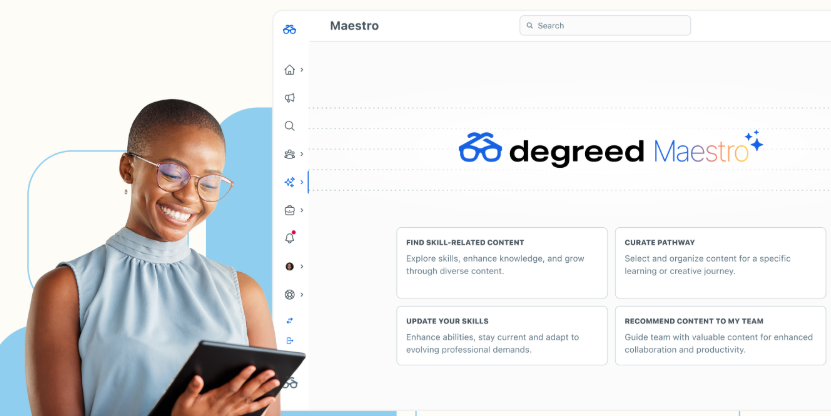
Maestro goes further than a content catalogue. It coaches by text and voice, informed by each person's own skill data and learning history. Scalable Skill Review then runs AI assessments, producing proficiency ratings against your own taxonomy. 

Our Degreed alternatives piece covers the trade-offs

Key Features

  • Degreed Maestro: Coaches employees by text and voice using their own skill and learning data
  • Skills+: Connects skills data to business strategy through real-time analytics
  • Academies: Runs cohort programmes where people practise a skill instead of watching content
  • Open Library: Aggregates learning content from across providers into one pool

Pricing

No published price. The pricing page says pricing is "personalized and flexible based on your company, needs, budget, and headcount".

Rating

G2 rating: 4.3/5.

Pros

  • Wide range of content, easy to navigate
  • Strong customer support during setup
  • Aggregates learning from multiple sources in one place

Cons

  • Search and content discovery can feel cluttered
  • Reporting and analytics are limited
  • Not a traditional LMS, so admin/management features are thinner

7. Thrive Learning

Thrive positions itself around going beyond completions, and it's the one vendor here that puts numbers on a public page. Volvo, Vodafone, British Airways and Burger King are customers, and the base skews UK, retail and frontline.

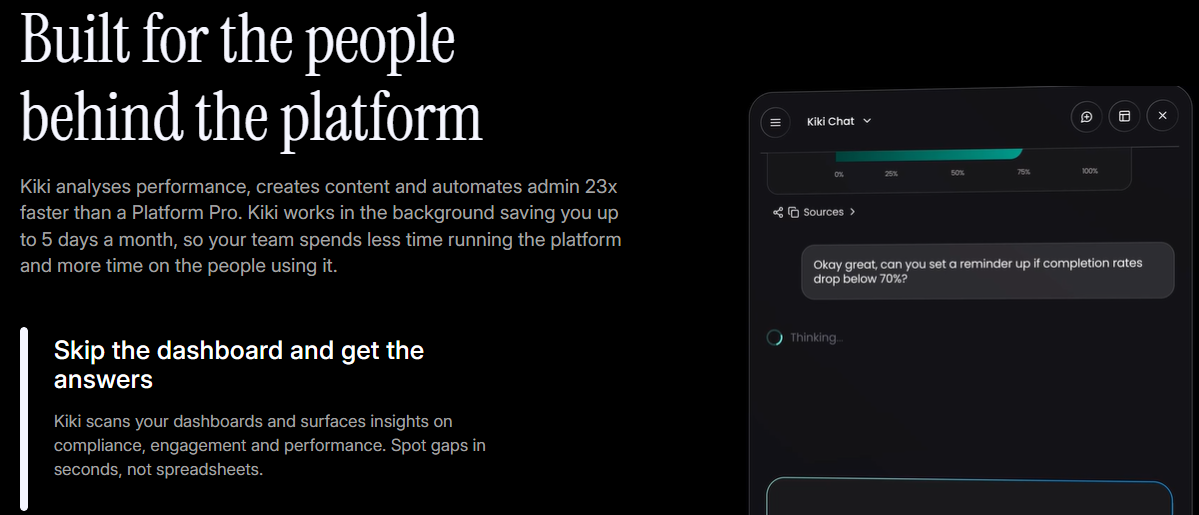
Kiki comes as standard rather than as a paid add-on, which is unusual on this list. It works as an analyst pulling compliance and engagement insight out of your dashboards. 

We cover the wider field in our Thrive alternatives guide.

Key Features

  • Kiki: Analyses dashboards, creates content and coaches learners as a built-in AI agent
  • Pathways: Sequences video, articles, quizzes and SCORM into one route through a topic
  • Spaces: Creates role-based communities where teams share knowledge in a shared feed
  • Rewards: Converts learning points into gift cards, experiences or cash for learners

Pricing

Thrive publishes a live calculator on its pricing page, under the line "No forms. No sales calls. No waiting." Enter your learner count and currency and it shows a price instantly for Thrive Go and Thrive Content. 

Rating

G2 rating: 4.5/5.

Pros

  • User-friendly, intuitive, easy to navigate
  • Highly rated, responsive customer support
  • Drives strong engagement through social-style features

Cons

  • Limited feature depth for advanced use cases
  • Reporting and analytics feel inadequate
  • Restricted branding and customisation options

8. LearnUpon

LearnUpon rebranded in 2026 around what it calls the Agentic Learning Platform. Its long-standing strength is Portals, where each audience gets a separately branded environment run from one back end. Henry Schein, The Adecco Group and Transamerica are customers, across 1,700+ organisations and 31M+ users.

LearnUpon is putting most of its new development into Create+. You upload PDFs, videos, slide decks or links, and it produces an interactive course draft. LearnUpon says that's "90% faster, at 10% of the cost." 

Key Features

  • Portals: Runs separately branded learning environments for each audience from one back end
  • Create+: Turns uploaded documents and videos into interactive course drafts with AI
  • LearnUpon IQ: Connects the platform's parts so learning gets delivered in context
  • Learning Journeys: Sequences training into structured routes for a role or programme

Pricing

No published price. The pricing page sets seat floors by audience. Employee training starts from 100 users, customer education from 300, and associations from 150. 

Rating

G2 rating: 4.5/5.

Pros

  • Intuitive, easy to use for both admins and learners
  • Responsive customer support with dedicated CSMs
  • Straightforward course creation and quick setup

Cons

  • Limited, outdated forum/social features
  • Restrictive customisation options
  • Reporting flexibility and bulk-management tools need work

9. Litmos

Litmos calls itself a Learning Acceleration Platform, covering employees, partners and customers. It lists 11,000+ organisations across 150 countries, including HPE, ADP, Sabre and Headspace. It's worth getting the name right too, because the site says Litmos throughout and never SAP Litmos.

If you sell training or certification, look at Litmos's eCommerce tools first. It takes the payment and enrols the buyer for you. Litmos points to HPE, which makes $50M a year from training. 

Key Features

  • Content Libraries: Provides pre-built off-the-shelf course collections across common topics
  • Content Authoring: Builds courses inside the platform without a separate authoring tool
  • Litmos AI: Applies AI across content creation, delivery and administration
  • eCommerce: Sells and monetises customer education and certification programmes through public catalogs and integrations like Shopify, PayPal and Stripe

Pricing

No published price. The plans page names three tiers, Foundation, Platinum and Platinum AI. 

Rating

G2 rating: 4.3/5.

Pros

  • Intuitive, easy to use with responsive customer support
  • Strong localization features, good for global teams
  • Easy course creation and content customisation

Cons

  • Reporting is frequently called clunky and hard to configure
  • Limited customisation options in places
  • Missing features and slower support resolution at times

10. TalentLMS

TalentLMS is the one platform here you can price yourself, sign up for, and have running the same week. Roland, Hudl and Deliveroo are among the 70,000+ teams using it. 

TalentCraft builds your course content from prompts and your own material, so most of the setup happens there. Branches then split your portal into separate sub-portals per audience, which covers departments, regions or external partners. 

Key Features

  • TalentCraft: Generates interactive course content from prompts and your own material
  • TalentLibrary: Adds 1,000+ ready-made courses covering common workplace topics
  • Branches: Splits your portal into separate sub-portals for departments or partners
  • AI Coach: Guides learners through questions and reinforcement between formal courses

Pricing

TalentLMS publishes everything on its prices page. The Free plan covers up to 5 users and 10 courses. Core runs $119 a month for 1-40 users. Grow is $229 for up to 70. Pro is $449 for up to 100, plus $6 per extra user if you need more. Enterprise starts at 1,000 users on a custom quote. 

Rating

G2 rating: 4.6/5.

Pros

  • Easy to use for both admins and learners
  • Smooth, quick course creation
  • Exceptional, responsive customer support

Cons

  • Limited features for custom course creation
  • Restrictive customisation options
  • Reporting can feel inflexible and hard to configure

11. Learn Amp

Learn Amp is a UK employee development platform combining learning, engagement and performance in one place. Specsavers, Metro Bank, FreshBooks and BJSS are customers, and Specsavers reduced time-to-competence by 47% using it. 

Learn Amp also runs your one-to-ones, objectives and reviews, which is where Perform comes in. All of that happens in the same system people learn in. Skills then tracks proficiency through self and manager ratings, tied to Roles and Career Paths. 

Key Features

  • Learnlists: Curates content collections with completion tracking and certificates attached
  • Perform: Runs one-to-ones, objectives and performance reviews alongside learning
  • Skills: Tracks proficiency through self and manager ratings against roles and career paths
  • Communities: Creates public, private or secret spaces for discussion between teams

Pricing

Three packages are named, Spark, Grow and Amplify. At 1,000 users, Grow runs £1.87 per user per month billed annually, working out to £22,440 a year. Amplify runs £3.12 per user per month at the same band. 

Rating

G2 rating: 4.8/5.

Pros

  • Easy to use, quick for both admins and learners to pick up
  • Highly customisable, adapts to different business needs
  • Excellent, responsive customer support

Cons

  • No batch enrolment, adds manual admin work
  • No dedicated mobile app
  • Reporting and analytics can be inflexible for custom needs

12. Kallidus

Kallidus is a UK platform focused on compliance and proving learning impact. It serves over 1,000 customers and two million total active users. Clients include major brands like Boots, Age UK, Aldermore, and boohoo. 

Learn LMS delivers and tracks all mandatory employee compliance training. Kallidus Intelligence then measures whether that training improves business outcomes. 

Key Features

  • Learn LMS: Delivers mandatory training and tracks overall compliance metrics automatically
  • Performance Management: Connects individual learning outcomes to manager reviews and conversations
  • Kallidus Intelligence: Measures actual business impact instead of course completion statistics
  • Kallidus Bespoke: Creates tailored, interactive learning content through in-house course designers

Pricing

Kallidus does not publish fixed pricing tiers on its website. Its demo page highlights options like Learn Advanced, Learn Pro, Content Only, and Bespoke Content.

Rating

G2: 4.4/5.

Pros

  • The platform features a clean, modern interface
  • Responsive, helpful customer support and clear implementation guidance
  • Automated tracking and delivery tools make managing mandatory compliance simple

Cons

  • No pricing figures are published across any of the four packages
  • The customer base is heavily UK-weighted, which matters for a US-first rollout
  • Sapling no longer appears on the products page, so check what's currently supported

Selection criteria

We focused on organisations with 250 to 5,000 employees. Platforms at this company scale face critical trade-offs that impact daily operations. Here are five primary questions that need to be asked. 

How we evaluated

  • Where does skills data originate? We checked whether the system automatically builds your skills framework or requires a separate taxonomy project
  • Are content libraries included? We looked at whether off-the-shelf courses come included or require an extra paid contract
  • What can the platform prove? We evaluated whether reporting measures actual skill development rather than simple course completions
  • How much administration is required? We assessed the ongoing workload for your team and checked if the vendor provides managed admin support
  • What information is available upfront? We looked for public pricing tiers, minimum seat counts, billing terms, and concrete cost figures before booking a sales call

We verified all pricing directly on each vendor's official website rather than relying on third-party review sites. Consequently, several entries state "no published price" instead of listing unverified numbers found elsewhere.

How to choose

Choosing the right Learning Management System depends on your team's size, core goals, and specific operational needs. If you need performance tracking, succession planning, and recruiting in one system, stay with a full suite and negotiate hard at renewal. Replacing five connected modules to fix a single issue is rarely the cheaper option. If your L&D team consists of just two or three people focusing solely on learning, look for platforms with built-in content and ready-to-use skills frameworks. 

HowNow and Learn Amp fit this model well. If you train external customers or partners alongside internal employees, your shortlist should focus on extended-enterprise platforms like Docebo, LearnUpon, and Litmos. 

For organisations driven primarily by mandatory compliance, Kallidus is built specifically for that regulated workload. If you need a platform live within days and prefer transparent pricing without booking a sales call, TalentLMS and Thrive publish their rates upfront. 

Where to start if you're reviewing this now

Write down the modules you actually use before booking a demo. That single list will tell you whether you need a complete suite or just a learning platform.

Then ask two important questions that vendors often avoid:

  • What will the content library cost?
  • How much time will administration take every month?

These answers will help you narrow down your options much faster than a long feature comparison.

If you want learning, skills, content, onboarding, and compliance in one place, HowNow was built for exactly that. With ready-to-use skills frameworks and HowNow+ included, teams can manage everything from a single platform.

Book a demo, and we'll help you map your job roles to the right skills from day one.  

FAQs

Why do organisations switch from Cornerstone?

Organisations often switch because they only need learning features, making Cornerstone's broader talent suite unnecessarily complex to configure. Unclear costs and separate subscriptions for the content library also drive teams toward simpler alternatives. 

Is Cornerstone suitable for small and medium-sized businesses?

Cornerstone is built primarily for enterprise scale, averaging around 20,000 users per client across its customer base. For smaller teams, the heavy administrative overhead and complex setup typically outweigh the platform's benefits. 

How much does Cornerstone cost?

Cornerstone publishes no price. The only cost statement on its site is an FAQ line saying every organisation "will have a different cost depending on needs and size". 

Can I migrate my data from Cornerstone to a new platform?

Yes, though what transfers cleanly varies. SCORM packages and user records usually transfer without much trouble. Completion history, certification records and org structure need planning, since every platform models them differently. 

What are the main limitations of Cornerstone for a mid-sized team?

The course library is a separate subscription, and the Create authoring tool only appears under the Platinum content tier. Pricing isn't published anywhere. On top of that, Cornerstone sells Admin Services as a paid offering.

Is Cornerstone Workforce AI the same as Cornerstone Learning?

No. Cornerstone Workforce AI is the platform brand launched in May 2026, built around the Cornerstone People Graph and Cornerstone Skills Engine. Cornerstone Learning is the learning module inside the wider suite. 

12 best Cornerstone alternatives for L&D teams (2026)

Blog
September 4, 2026
.
5 min read

Quick summary

Docebo sells a learning platform that trains employees, customers and partners from one place. Cornerstone sells a full talent suite, and learning is one module inside it. Both handle everyday training without trouble. So the real decision gets made somewhere else. It comes down to what content costs on top, how much admin each one needs, and where the skills data comes from. This guide walks through all of that for a mid-sized team. It also shows where a lighter third option fits.

What the choice really comes down to

If you are weighing these two platforms, a renewal is probably coming. Someone has to justify it. Neither option will let you down on the basics, so the decision lands elsewhere. They differ on what content costs on top of the licence. They differ on how many admins each one needs day to day. They also differ on how much you can find out before you ever talk to sales.

This comparison covers the decisions that matter most when you sit between 250 and 5,000 employees. At that size, you are usually the person building the business case. There is no procurement team behind you. So the running cost and the admin load carry more weight than any single feature. We keep the comparison fair to both platforms throughout. We only make our own case near the end.

Why listen to HowNow?

We build an AI-native learning platform, so we sit through a lot of these evaluations against Docebo and Cornerstone. That gives us a clear view of which questions actually matter. When Infinity Works moved to HowNow, 97% of their people were active within four months. At Hotelplan, 99% of employees activated, and 78% now say they feel confident in their roles. Operatix ramps new starters 33% faster, and Trainline halved the time its compliance training takes. Plenty of these teams are your size, somewhere between 250 and 5,000 people. So we know which questions actually decide these deals.

Docebo vs Cornerstone: an overview

Both platforms changed their positioning in 2026, so a lot of older writing describes a product that no longer exists. Docebo bought the French skills-intelligence company 365Talents in January 2026. It then launched AgentHub in April and folded a skills-intelligence layer and agentic AI into the core platform. 

Cornerstone relaunched in May as Cornerstone Workforce AI. It now calls itself an intelligence platform for workforce readiness rather than a talent suite.

This is how they line up today. Before you read the table, it helps to know the difference between an LMS and an LXP. That distinction shapes almost every point below.

Docebo Cornerstone
What you are buying A learning platform for employees, customers and partners A talent suite covering learning, performance, recruiting and HR
Skills data Skills app built on an ESCO catalogue; deeper inference sold as Skills Intelligence Skills Engine built on labour-market data, more than 55,000 skills
Content library Content marketplace, 100,000+ courses, paid subscriptions Content Subscriptions, Silver to Platinum, separate subscription
Published pricing Two named tiers, no figure on the pricing page No pricing page, one FAQ line pointing to a demo
Scale Around 3,500 clients, positioned for 250+ learners Around 7,000 organisations, 140 million users
Contract length One year minimum, three to five years typical Not published

What is Docebo?

Docebo is a learning platform that now calls itself an AI-powered workforce readiness platform. The pitch is one platform for every audience. The same system trains your employees, your customers and your channel partners. 

That breadth is what Extended Enterprise is for, and the whole product is built around it. After the 365Talents deal, Docebo added a skills-intelligence layer and agentic AI through its AgentHub release. So the 2026 product reaches well beyond a traditional LMS.

How it works

An admin builds content in Docebo Creator. You can start from a blank lesson, from one the AI drafts out of a document you upload, or from an AI roleplay scenario. Learners then get sorted into branches.

 A branch is a strict org hierarchy where each person belongs to exactly one place. From there, groups fill themselves from rules you set, such as job title or location. Enrolment rules then connect those groups to courses, so assignment runs without an admin clicking through it.

The automation is genuinely powerful once it is configured. It also comes with firm limits worth knowing early. You cannot mix groups and branches in a single rule. A rule will not reach people who were already in the group when you built it. So someone has to design that structure carefully and keep it current as the org changes.

Docebo key features

  • Extended Enterprise: run branded academies separately for customers, partners and resellers, each on its own subfolder or domain.
  • Docebo Creator: build a lesson from scratch, generate one from a document you upload, or set up an AI roleplay scenario.
  • AgentHub: build AI agents that run learning workflows on a schedule, launched in April 2026 on the back of Docebo’s Zive acquisition.
  • Enterprise Knowledge: search across connected sources like SharePoint, Confluence, Google Drive and Slack from inside Docebo.

Docebo is best for

Docebo suits you when learning itself is the purchase. It works well if you want to train customers or partners alongside employees, all in one place. Teams that value deep automation will like how groups and enrolment rules run quietly once set up. It fits organisations training at least 250 learners, which is the scale Docebo positions itself for. Below that, the model starts to feel like more platform than you need.

Docebo pricing

Docebo publishes tiers, but not prices. The pricing page names two of them, Elevate and Enterprise. It offers only custom pricing tailored to your organisation. The page does spell out the billing model, though. You pay on your tier plus your active users, and you choose monthly, yearly or registered active users. Docebo says most customers sign a three to five year contract, with one year as the minimum. 

What is Cornerstone?

Cornerstone is a talent suite, and learning is one module inside it. The suite was assembled partly through acquisition, so Saba, SumTotal, EdCast and the SkyHive skills engine now all live inside one product. 

That history is worth remembering, because it shows in how the pieces fit together. In May 2026 the company relaunched everything as Cornerstone Workforce AI. Alongside learning, you get performance, recruiting, succession, a talent marketplace and core HR. It is the biggest name in the category, and it carries the weight of that scale.

How it works

As the L&D admin, you spend most of your time in two places. The first is the Learning Assignment Tool, and the second is Certifications. 

The assignment tool is a five-step wizard covering setup, options, schedule, users and confirmation. You can point it at individual users, organisational units or groups. 

Dynamic assignments then reprocess daily, so new joiners get picked up automatically. Certifications is where your compliance evidence comes from. Each one carries renewal periods and its own transcript, which shows where a person sits in the current cycle.

Cornerstone key features

  • Learning Assignment Tool: assign training to users, organisational units or groups, and rerun it daily so new starters get picked up.
  • Certifications: track renewal periods and pull a transcript that shows an auditor exactly where each person is in the cycle.
  • Skills Engine: tag learning content with skills automatically, using a taxonomy drawn from global labour-market data via the SkyHive acquisition.
  • Extended Enterprise: train customers and certify partners through branded microsites with eCommerce built in.

Cornerstone is best for

Cornerstone suits you when you are buying more than learning. It fits organisations that want performance, succession and recruiting in the same system as training. Regulated industries value its formal certification setup and audit-ready evidence. 

Most of its customers are large. Cornerstone points to around 7,000 organisations and 140 million users across more than 180 countries. Its smaller-business products even live on a separate subdomain. So the core suite is built for scale, not for a two-person team.

Cornerstone pricing and support

Cornerstone does not publish pricing at all. The pricing address redirects to the learning product page. The only pricing statement on the site is one FAQ answer. It says every organisation will pay a different cost depending on needs and size, then points you to a demo. 

Content Subscriptions are a separate purchase in three tiers, Silver, Gold and Platinum, with no published figure either. One detail matters if you plan to build your own courses. The Create authoring tool only appears on the Platinum tier.

Key differences: why Docebo is better

Docebo wins on focus and transparency. Because learning is the whole product, not one module in a suite, the day-to-day admin experience feels lighter. Multi-audience training is a proper part of the platform. So customer and partner academies work the same way employee training does, rather than sitting off to one side.

The automation also runs deep. Groups populate themselves from criteria like job title, location, hire date or department. Enrolment rules then push those groups into courses without an admin touching each one. Once it is set up, it ticks along quietly. Docebo is more open about how you are billed too. 

The pricing page names the tiers, explains the active-user model, and even covers what happens when you exceed your limit. For a mid-sized team building its own case, that visibility is a real advantage.

Key differences: why Cornerstone is better

Cornerstone wins on breadth and compliance rigour. If you are replacing performance reviews, succession and recruiting in the same project, one suite covering all of it works in your favour. You get those processes joined up in a single system, rather than stitched together across tools.

Compliance evidence is also built into the product. Renewal periods and certification transcripts give an auditor a clear, ready-made trail. That formal setup suits regulated industries where a near-miss audit is the sharpest deadline of all. 

Skills arrive pre-populated from labour-market data as well, so nobody starts a taxonomy from a blank page. Learning connects to internal mobility and performance in one place. For a large organisation buying the whole talent stack, that joined-up breadth is exactly the point.

The verdict: where both fall short

Neither platform wins across the board, and both share the same gaps for a mid-sized team. 

Start with content. It is a separate purchase on both, so the off-the-shelf library costs extra on top of the licence. Docebo carries more than 100,000 courses through partners like OpenSesame, Go1 and Edflex, sold as paid subscriptions. Cornerstone splits its library into Silver, Gold and Platinum tiers, again priced separately.

Skills are handled on both, but at a price and with caveats. Docebo’s base Skills app leans on an ESCO catalogue, and learners self-select and self-assess their skills. Its own guidance is to start with just 50 to 200 skills. The deeper, automatic inference lives in a separately-sold Skills Intelligence line, the 365Talents product. Cornerstone’s Skills Engine is more powerful out of the box, but it comes wrapped inside a large suite you may not need.

Then there is pricing. Both make you work to find out what any of it costs. Docebo shows you the model but not the number. Cornerstone shows you neither. If you run a two-person L&D team, that combination adds up. Separate content, separate skills and opaque pricing mean more budget lines and more admin than you want. That is the exact gap a smaller, unified platform is built to close.

How HowNow is a better fit

HowNow was built for that gap. It brings learning, skills and content into one platform, run by a small team, without the suite you have to grow into. Here is how it differs on the three decisions above.

Skills that read real work, from day one

Skills work differently here. Our skills framework draws on job-market data and covers more than 30,000 job roles. We built it from World Economic Forum data, live job listings and job description databases. You do not buy it as an add-on or run a taxonomy project first. Every employee gets mapped to the right skills and proficiency levels automatically.

The bigger difference is where the signal comes from. Our AI Skill Graph reads real work activity and infers the skills people are actually demonstrating. It does not wait for a form nobody fills in. It then maps every learning resource, every pathway, and every internal expert onto that same framework. That is what makes skills mapping useful on day one. If you already run your own taxonomy, we integrate with it or swap ours in for yours.

Content that comes with the platform

Content comes with the platform, not beside it. HowNow Plus is a curated library of more than 10,000 resources from over 30 providers, including Skillsoft and MindTools. It arrives already mapped to your skills graph. So people and your AI tools retrieve it by intent, not by keyword. For a small team, that is the difference between one budget line and three.

Less admin, one system

Admin is lighter by design. Onboarding, compliance, leadership and career development all run in the same system, with one login and one vendor. Dashboards build in seconds instead of by hand. Most of the implementation headaches that come with a big suite simply do not apply. There is no branch hierarchy to design before assignment works.

Pricing you can sanity-check first

Our pricing is quoted per organisation, with an ROI calculator on the page. So you can work out roughly what it will cost before you call anyone. You do not need a procurement team behind you to get a straight answer. For a team between 250 and 5,000 people, that matters more than it does at enterprise scale.

Why customers trust HowNow

The proof shows up in activation and speed, not in slideware. At TomTom, HowNow consolidated employee onboarding and customer education into a single Academy. 

Learner activation reached 90%, onboarding completion hit 100%, and internal mobility for technical roles rose 10%. TomTom also mapped around 10,000 unique skills to its content. That turned a static career framework into a living, learning system.

Other teams tell the same story at your size. Infinity Works reached 97% activation within four months. 

Hotelplan reached 99% activation, with 78% of employees confident in their roles. Operatix ramps new starters 33% faster, and Trainline halved the time its compliance training takes. These are the same problems you are weighing right now. You can read more of them on our customer stories page.

Where to start if your renewal is coming up

Write down what you are  buying before you sit through either demo. 

If you need customer and partner academies, Docebo’s Extended Enterprise is the strongest reason to pick it. 

If you want to see who else does that well, our Docebo alternatives guide covers the rest of the field. 

If you are replacing performance, succession and recruiting in one project, Cornerstone’s breadth works in your favour. Our Cornerstone alternatives guide goes deeper there.

And if you need learning, skills and content in one place, run by a small team, that is what HowNow was built for. The skills framework arrives ready to use, HowNow Plus comes with the platform, and the whole employee lifecycle runs in one system. We do this with TomTom, Trainline and Investec today. Book a demo and we will build you a skills map from your own job roles on the first call.

FAQs

Is Docebo or Cornerstone better?

Neither wins outright. Docebo fits you when learning is the purchase and you want to train customers or partners too. Cornerstone fits you when you are also buying performance, succession and recruiting. Below 5,000 employees, running cost usually decides it.

How much does Docebo cost compared to Cornerstone?

Neither publishes a price you can compare. Docebo names two tiers and bills on tier plus active users. Cornerstone publishes nothing and points you to a demo. You will need a quote from both.

Which one is better for compliance training?

Cornerstone has the more formal setup. Its certifications carry renewal periods and an audit-ready transcript, which suits regulated industries. Docebo handles compliance training through learning plans and enrolment rules, which is lighter. Decide whether you need certification-grade evidence.

How long does each one take to implement?

Neither publishes a go-live timeframe, so treat outside numbers carefully. You can still gauge the effort. Docebo lists migration, configuration, integration testing and admin training. Cornerstone leans on partners like DXC and Accenture, which points to a longer project.

Do I need a dedicated admin for either platform?

Plan for one, at least part-time. Docebo’s automation is deep once branches, groups and enrolment rules are configured. But someone must design that structure and keep it current. Cornerstone even sells Admin Services and outsourced administration, which signals the ongoing workload.

Docebo vs Cornerstone: which learning platform fits your L&D team?

Blog
September 4, 2026
.
5 min read

Quick summary

Every learning platform on this list offers personalised learning. Look at where each one gets its data, because that decides whether the recommendations are any use. Some build a skills picture for you from job market data, and others just ask employees to rate themselves. We'll come back to why that gap matters so much.

Top tools at a glance

Tool Best For Starting Price G2 Rating
HowNow Teams who want LMS, LXP, skills and content in one AI-native platform Quoted per organisation. Publishes pricing 4.5/5
Absorb Keeping the AI grounded in your own courses and your own tenant No published price 4.6/5
360Learning Getting internal experts to write the courses themselves $8/user/month (Team, up to 100 users) 4.6/5

What is AI-powered personalised learning software?

An AI-powered personalised learning platform decides what each employee sees, based on their role and their skills. Everyone gets a different home page, out of the same library.

That's a big change from a traditional LMS, where an admin assigns a course to a group and everyone gets the same thing. Our guide to LMS versus LXP covers the difference.

Before it can recommend anything, a platform has to answer two questions. Which skills does this person's job need, and which do they already have? Platforms answer that in three ways: 

  • Pulling a skills framework from job-market data
  • Asking employees to self-rate, or 
  • Reading it from the systems people already use

Four questions tell you what you need to know about any of them.

  • Where the skills data comes from: Self-rated is quick but flattering. Job-market data is consistent but generic.
  • Whether a human checks it: A manager's sign-off turns a guess into a real training plan.
  • Whether the AI knows your content: Grounded in your courses, not guessing from the open web.
  • Whether it shows sources: So you can verify, not just trust.

Most buyers only ask the first two. The last two tell you the most. 

Why listen to us?

We’re HowNow, the AI-native learning platform built for skills, coaching, content and communities in one place.

At GovNet, learning engagement went up 36% in three months. TomTom hit 90% learner activation and 100% onboarding completion after launching its academy on our platform. We also work with Investec, Crunchyroll, Depop, FitFlop, Miniclip and HM Government. Many of them sit between 250 and 5,000 people, running learning with a team of two or three.

We've seen what happens when the skills data underneath a platform is wrong. We know which questions to ask on a demo.   

Why Is AI-Powered Personalised Learning Software Important?

An AI-powered personalised learning platform matters because people get learning that applies to their job, while generic training gets ignored. A small team can run learning at scale, since paths build themselves from skills gaps instead of admins assigning courses by hand. 

Compliance evidence is easy to produce, because assignment and renewal tracking happen automatically. You can finally answer whether learning is working, since learning, skills and performance data sit in one place. 

And because you can see skills gaps across the business early, you get warning in time to save a project or a hire. 

10 Best AI-powered personalised learning software tools

We ranked these on where skills data comes from, whether the AI cites its sources, and what each one publishes on price, for organisations between 250 and 5,000 employees.       

Tool Best for Starting price G2 Rating
HowNow Skills, learning, content and an AI coach in one place Quoted per organisation. Publishes Pricing 4.5/5
Disprz AI-built content and role-to-skill mapping, with a published entry price $2 per learner per month (Essentials) 4.5/5
Docebo A well-documented skills framework, with AI layered across the platform $9 per user (period unstated), 250-user minimum 4.3/5
Cornerstone Very large workforces that want skills read from work systems No published price 4.1/5
Degreed Measuring skill levels with a proper assessment, not a self-rating No published price 4.3/5
Absorb Keeping the AI grounded in your own courses and your own tenant No published price 4.6/5
360Learning Getting internal experts to write the courses themselves $8 per user per month (Team, up to 100 users) 4.6/5
Skillsoft Percipio Scoring a skill properly before the platform recommends anything $20 per seat per month (Teams, up to 300 seats) 4.1/5
Uplimit Practice and feedback, with difficulty that adapts to what someone knows No published price Not confirmed
LinkedIn Learning Adding a large personalised library to a platform you already run $379.88 per licence per year (Teams) 4.4/5

1. HowNow

HowNow is a learning platform that brings the LMS, LXP, skills, content and an AI coach together. We built it for L&D teams who want personalisation working in weeks, not after a year of taxonomy work.

Our skills framework arrives already built, so you're not starting from a blank page. We generated it from World Economic Forum data, live job listings and job description databases, covering over 30,000 entries

Whatever the AI suggests is only a starting point. Managers review and validate what we propose for their teams. With Focus Skills, an employee and their manager pin the areas they want to master, and we prioritise around those. Self-Added Skills let people show talents outside their job description, with peer endorsement.

Our Skills Graph maps every learning resource, pathway and internal expert onto the same set of skills. Smart Pathways then match content to each person's gaps, so no admin picks courses by hand.

HowNow Guru is our AI coach. It answers from your organisation's knowledge, not the open web, and every answer comes back with its sources attached, which matters if you're regulated. 

Hotelplan mapped 300+ job roles to skills in a single month, with leaders validating the AI's suggestions as they went. 99% of employees activated within three months, and 78% now feel confident in the skills their role needs. 

Key features

  • AI pathway builder: Personalised learning paths built from skills gaps, role context, and business goals. Automatically.
  • Adaptive learning: Every learner gets a personalised path based on their role, skills, and progress. 1:1 learning at scale.
  • AI curation: The right content found, tagged, and organised from your internal sources and external libraries. Surfaced automatically.
  • Learning communities: Peer expertise made visible, structured, and searchable. Your best knowledge captured and available to everyone.
  • Skills graph: Every skill and every gap visible. The intelligence that connects performance gaps to the learning that will close them.
  • Career paths: Every employee sees their skills, their gaps, and where they can grow. Real paths that drive engagement without mandating it.
  • AI Performance coaching: Answers, practice, feedback, and proactive coaching — delivered where your people already work. Connected to real work signals.
  • Trusted content: Expert knowledge your AI can actually use. Every recommendation grounded in real expertise, not generic results. 
  • Unified Search: Pulls any course, document or expert answer from one search box across your tools.
  • In-flow delivery: Serves learning inside Slack, Teams and the browser, where people already work.

Pricing

We quote per organisation, so there's no rate card on our pricing page. An ROI calculator there lets you size the return before you speak to anyone.

Pros

  • Users find HowNow easy to use with content creation being simple, even for LMS beginners.
  • Customer support gets strong praise, described as responsive and hands-on.
  • The interface looks modern and clean, contrasting with clunkier legacy LMS platforms.

Cons

Customisation is limited. Users cite missing features like custom surveys, flexible assessments, and branded emails.

2. Disprz

Disprz combines an LMS, an LXP and AI content authoring in one platform, built for mid-market and enterprise teams. It leans hard into skilling, mapping roles to skills and then closing the gaps it finds. 

Its AI content engine, Turo, drafts enterprise-ready courses from your own material, with a person reviewing every stage before anything ships. On skills, Disprz builds a skills ontology and job architecture for you, then assesses each person against the roles they hold. 

Key features

  • Turo AI authoring: Builds enterprise-ready courses and quizzes from your documents, with a human approving every stage
  • Skills ontology and job architecture: Maps roles to the skills they need, so learning targets real gaps
  • Skill assessments: Benchmark each person's current level before the platform recommends what they learn next
  • Frontline Enablement: Mobile-first, offline-ready learning with on-the-job workflows for deskless teams

Pricing

Disprz publishes an entry price on its pricing page. Essentials, the LMS tier, starts at $2 per learner per month. The Enterprise tier, which adds skills and AI experiences, is custom-quoted. Turo authoring runs on usage-based credits. 

Pros

  • Reviewers repeatedly praise how easy the platform feels for both learners and admins.
  • The support team earns consistent credit for being responsive and hands-on. 
  • Mobile-first delivery and multilingual microlearning suit frontline and distributed teams. 

Cons

  • Some reviewers find the interface cumbersome, with navigation that takes time to learn.
  • Integrations with content providers and HR systems can feel inconsistent to set up.
  • A few reviewers want stronger reporting, with better charts in the analytics section.

3. Docebo

Docebo bought 365Talents, and that acquisition is why its skills data is unusually well documented. Its Skills Intelligence product maps skills from self-declared and survey inputs, rather than inferring them from how people actually work. 

Harmony is the AI layer on top of all that. A tutor explains concepts inside a course, and a copilot walks admins through the platform. AgentHub adds no-code agents that run on a schedule. 

Key features

  • Skills Intelligence: Maps skills from self-declared and survey inputs, then validates them
  • Harmony Tutor: Explains concepts inside a course and offers a simpler version with a worked example
  • AgentHub: Builds no-code AI agents that run learning workflows on a schedule
  • MCP server: Connects Harmony to Claude, Microsoft Copilot and ChatGPT so people can ask from there

Pricing

Docebo's pricing page lists Elevate and Enterprise tiers with custom pricing and no published figures. Its FAQ gives more detail: the main tier starts at $9 per user, with a 250-user minimum. 

Pros

  • Users can tailor branding, layouts, and learning paths.
  • Handles multiple audiences well like employees, customers, and partners.
  • Reviewers repeatedly praise responsive, knowledgeable customer service.

Cons

  • Initial setup and advanced configuration can overwhelm smaller teams.
  • Bulk edits and content authoring feel restrictive to some users.
  • Several reviewers want deeper, more customizable analytics without exporting to spreadsheets.

4. Cornerstone

Cornerstone OnDemand sells a talent suite with learning module inside it. You also get performance, recruiting, succession and core HR, so you can replace several systems at once.

The Cornerstone People Graph reads signals from the systems people work in, keeping self-reported data out of the picture.

Its Skills Engine turns those signals into skills and task data. The platform then recommends learning from someone's skills, their role and what they've already completed. As they pick up new skills, their path updates to match.

Key features

  • People Graph: Reads workforce signals from the systems people work in to build skills data
  • Skills Engine: Translates those signals into validated, auditable skills tied to global labour market data
  • Adaptive learning paths: Adjust a person's path automatically as they acquire new skills
  • Immerse AI Companion: Coaches people through VR training scenarios with real-time feedback

Pricing

Cornerstone doesn't publish a price. 

Pros

  • Reviewers cite it as strong for regulated, audit-heavy training needs.
  • Admins can tailor workflows, permissions, and reporting to fit complex organisations.
  • Reviewers value the customer success team and active user community for troubleshooting.

Cons

  • The interface feels dated and complex, especially for new admins.
  • Several reviewers need to export to Excel for custom analysis.
  • A few reviewers flag pricing and licensing as steep for what they get. 

5. Degreed

Degreed is a learning platform built around skills data, aimed at large, spread-out workforces. It measures capability across the business first, then points people at learning.

Degreed treats measuring a skill as a proper assessment, and that shapes everything else it does. Skill Review is an adaptive questionnaire built with psychometricians. It asks behavioural questions, then works out a proficiency level from the answers someone gives.

Degreed Maestro adds AI coaching, role-play and pathway building on top, drawing on each person's skill profile and learning history. 

Key features

  • Skill Review: Assesses proficiency through an adaptive questionnaire developed with psychometricians
  • Degreed Maestro: Runs AI coaching, role-play and pathway curation from each person's skill profile
  • Skill inference: Fills gaps in skills data from existing sources like résumés and job titles

Pricing

Degreed doesn't publish figures either. Its pricing page lists Degreed Learning, Degreed Skills+ and Degreed Academies. 

Pros

  • Users like pulling internal and external learning (articles, courses, videos) into one searchable place.
  • Reviewers value seeing what colleagues and leaders are learning, and following others' content.
  • Building pathways and playlists from multiple sources feels quick and flexible for admins.

Cons

  • With so much content pulled in, several users find it hard to locate exactly what they need.
  • Multiple reviewers want more powerful, company-wide analytics.
  • The app doesn't match the full feature set of the web experience.

6. Absorb

Absorb sells an AI-powered LMS that pushes learning into the tools people already use, including Microsoft Teams and Chrome. 

Aura Learn takes learner questions on any course they've been assigned, answering inside the LMS or Microsoft Teams. Aura Create drafts an outline and builds a course from an uploaded document or SharePoint file. 

Aura Admin Assist walks admins through configuring the platform. Absorb Skills tags courses with skills on its own, and it runs learner self-assessment against 200+ competencies and 12,000+ skills. 

Key features

  • Aura Learn: Answers learner questions from assigned courses inside the LMS or Microsoft Teams
  • Aura Create: Drafts an outline and builds a course from an uploaded document or SharePoint file
  • Skills auto-tagging: Identifies the relevant skills for any course uploaded to the platform
  • AI-driven learning paths: Recommends courses against a person's goals and skill gaps

Pricing

Absorb doesn't publish a price. Its pricing page is a contact form that sorts you by learner count. The bands run from 1-50 at the bottom up to 25,000+.

Pros

  • Reviewers repeatedly praise how intuitive it feels for both admins and learners.
  • Named CSMs and implementation staff come up constantly as a reason people stay.
  • Turning PowerPoints or PDFs into courses saves reviewers real time.

Cons

  • Several users want deeper, more flexible features in the ecommerce side of LMS.
  • Settings, permissions, and workflows take real time to master.
  • Navigation within third-party courses often confuse learners.

7. 360Learning

360Learning starts from a different idea. Your own subject-matter experts write the courses, and the AI is there to make that quick.

Skills are easy to trace in 360Learning, because every skill on a profile carries a record of how it got there. SkillsGPT generates a skills and jobs library for you. You can also take a pre-built database of 20,000 standard skills, or import your own.

Employees self-assess first, then managers review and confirm what they've claimed. Profiles then update on their own as people finish skill-mapped courses. AI tags courses with the right skills so the mapping doesn't rot.

Key features

  • SkillsGPT: Generates a full skills and jobs library from a chat, in place of a taxonomy project
  • Manager validation: Lets managers review and confirm the skill levels their people claim
  • AI Content Builder: Turns a document into a course outline with objectives, sections and quizzes
  • Target Job Mapping: Shows someone the skills gap between their role today and the one they want

Pricing

360Learning does publish its entry tier, on its pricing page.

  • Team: $8 per user per month, up to 100 users, billed monthly with no annual commitment
  • Business and Enterprise: custom, blending registered and monthly active users
  • Free trial: 30 days

Pros

  • Reviewers repeatedly highlight turning PDFs, slides, or SME knowledge into courses quickly.
  • Comments, peer feedback, and co-authoring make learning feel less top-down.
  • Named CSMs and support teams are a reason people stick with it.

Cons

  • Several reviewers say authoring and configuration take real time to master.
  • Branding, UI, and reporting flexibility feel restrictive to some users.
  • A few reviewers find the AI content tools still need refining, especially for accuracy.

8. Skillsoft Percipio

Skillsoft now calls Percipio a skills management platform. It holds a very large library, more than 325,000 learning assets. But it measures what someone can already do before it recommends any of it.

Skill Benchmark assessments do that measuring. A learner works through a curated question set and gets a score against a defined standard, and their recommendations follow from that result.

CAISY is where the practice happens. It's an AI conversation simulator, scored against a rubric covering professionalism, coherence and efficiency, with specific feedback tied to what you actually said. 

Key features

  • Skill Benchmark assessments: Scores applied proficiency against a defined standard, then drives recommendations from the result
  • CAISY conversation simulator: Runs scored role-plays with rubric-based feedback on professionalism, coherence and efficiency
  • Personalized Search: Surfaces results using AI models that weigh context and relevance, not just keywords
  • LX Design Studio: Generates courses, simulations and assessments aligned to defined roles and skills

Pricing

Skillsoft's self-serve figures sit on its pricing page.

  • Individual: $20 per month, or $199 per year, with a 45-day free trial
  • Teams: $20 per seat per month billed annually, up to 300 seats, with a 30-day free trial
  • Enterprise: custom pricing above 300 seats

Pros

  • Reviewers consistently praise the breadth of topics and formats.
  • Users like being able to see their level and get recommendations tied to it.
  • Books, audiobooks, and video options suit different learning styles and schedules.

Cons

  • Several reviewers describe the UI as clunky or old-fashioned.
  • Courses are video-based with little hands-on practice or exercises.
  • Users want better visualizations and easier ways to present data to leadership.

9. Uplimit

Uplimit calls itself the AI-native learning system for personalised practice and feedback. Practice is what the whole product is built around. It suits when your people can't do something yet, rather than when you're short of courses. That's usually leadership development, onboarding or sales readiness.

Uplimit puts each learner into a stage as they go, from just starting through developing to mastering. You'll also get a mastery score per learner per skill. Feedback comes back on every interaction. 

Worth knowing before you get on a call: Handshake, the early-career job platform, acquired Uplimit in June 2026. 

Key features

  • AI Skills Instructor: Builds a different path per learner from your definition of mastery and your own content
  • Mastery scoring: Reports a score per learner per skill so you can see who's got it and who hasn't
  • Voice and visual practice: Simulates workplace conversations with feedback as the learner goes
  • Async delivery: Reaches learners through Slack, Teams and email without a separate login

Pricing

Uplimit doesn't publish a price and hasn't got a pricing page. Everything routes through a demo request.

Pros

  • Paths adapt to what each person already knows, so nobody sits through material they've mastered.
  • Feedback covers written answers, code and video.
  • Named customers include Databricks, Gusto, Procore, GE HealthCare and Kraft Heinz.

Cons

  • LMS integration is still listed as coming soon.
  • Uplimit doesn't publish a price.
  • There's no content library of its own.

10. LinkedIn Learning

In LinkedIn's own words, LinkedIn Learning is a career development platform. It's the one option here whose personalisation runs on data from outside your business. It's a sensible addition if you're happy with your platform and want a large library plugged into it.

Every course is tagged against LinkedIn's own skills taxonomy, the same one behind job search and recruiter tools. Recommendations draw on that taxonomy plus whatever's on someone's profile, and the AI coach shapes its answers around their job title and skills. So an individual contributor and a manager asking the same question won't get the same reply.

Key features

  • LinkedIn Skills Graph tagging: Indexes courses and member profiles against the same skills taxonomy
  • AI coaching: Shapes answers around the learner's job title and skills
  • AI role-play: Practises real-world scenarios like difficult conversations, with feedback as you go
  • Trending Skills Insights: Career Hub feature showing the fastest-growing skills and comparing them to gaps in your org

Pricing

  • Teams: $379.88 per licence per year, for 2 to 20 licences, with a one-month free trial
  • Enterprise and Career Hub: no published price, contact sales

There's no standalone individual Learning subscription any more. Individual access comes through LinkedIn Premium Career, which starts at $39.99 per month or $239.88 per year.

Pros

  • Recommendations draw on labour-market data from outside your business.
  • The AI coach links to the course behind each answer.
  • The Teams price is published, so a small pilot needs no sales conversation.

Cons

  • Course counts differ across LinkedIn's own pages, from 22,000+ to 25,000+.
  • Role-play only works in five languages, and it caps at 20 sessions a day per learner.
  • It's a library and a career layer, so you'll still need a platform for assignments and compliance.

Selection criteria

Feature lists look similar across every platform here. What actually separates them is how each one handles skills data, AI and pricing, so that's what we dug into. 

How we evaluated

We built this list for companies with 250 to 5,000 employees, where L&D teams are small and every contract has to earn its place. Alongside the questions above, we also checked:

  • Does the platform build a skills picture for you, ask your people to fill it in, or read it straight from their work?
  • Does a manager or peer confirm what the AI suggests, or does the first guess stand?
  • Does the AI answer from your own content, and show you where that answer came from?
  • Does the vendor publish pricing tiers, seat minimums, billing models, trials and other figures on its own site?

Every price here comes straight from the vendor's website, never a review aggregator. That's why some entries say no published price instead of a guess. 

How to choose

Match the platform to what you're missing, not what's on the feature list.

  • No skills framework yet? HowNow, Disprz and Absorb all arrive with one already mapped, saving you the taxonomy project upfront.
  • Have a framework, need it kept accurate? Cornerstone and Degreed both work off real signals rather than self-assessment forms. 
  • Practice is the gap, not content? Uplimit is the pure-play choice, built entirely around practice with a mastery score per learner per skill. Skillsoft's CAISY runs scored role-plays with rubric-based feedback if you also want a large content library alongside.
  • Buying for an audit? Cornerstone. Reviewers cite it as strong for regulated, audit-heavy training, and admins can tailor permissions and reporting to fit how your organisation produces evidence.
  • Buying for onboarding? Absorb and 360Learning. Absorb turns existing PDFs and slides into courses and delivers them inside Microsoft Teams.. 360Learning has a published $8 per user tier and a 30-day free trial, so you can be running your first cohort inside a month.
  • Need a price today? 360Learning, Skillsoft Percipio, LinkedIn Learning and Disprz publish theirs.

Two questions to take into your next demo

Every vendor on this list will show you a good demo. Two questions cut through it.

  • Ask where the skills data comes from. There are only three honest replies, and you've seen all three in this list.
  • Then ask if the AI shows its sources. Small detail, until someone asks a compliance question.

Want skills, learning, content and an AI coach in one place, run by a small team? That's what we built HowNow for. Your framework arrives mapped from job-market data, your managers refine it, and Guru cites its source on every answer. 

Book a demo and we'll show you your own roles mapped to skills before you decide anything.

FAQs

What's the difference between "AI-powered" and "AI-assisted" learning platforms?

The label itself won't tell you much, so ask which parts of the product AI actually runs. A chatbot bolted onto the corner changes little. AI driving recommendations, dashboards and the home page means genuinely different experiences per person. 

How do these platforms deliver AI-powered skills gap analysis?

It comes down to three approaches, each with a trade-off:

  • Job-market data arrives complete but generic, and needs someone who knows your business to correct it
  • Self-assessment is fast and cheap, but only as honest as the manager reviewing it
  • Work-system signals catch what people actually do, but need those systems connected first

Should I worry about data privacy with AI in a learning platform?

Before trusting an AI learning platform with your data, ask three questions: 

  • Is it grounded in your own content or a general model
  • Is your data kept separate from other customers, and 
  • Is any of it used to train public models

How much does AI-powered personalised learning software cost?

Published pricing is rare. 360Learning charges $8/user/month, Docebo $9 with a 250-user minimum, Skillsoft $20/seat. Others quote per organisation. Content and implementation cost extra, so budget for them separately. 

Will AI replace our instructional designers?

No. AI authoring tools draft a course from a document in minutes, freeing up their week. But deciding what's worth teaching, and checking the output fits your business, still needs a person. Every platform here keeps that approval step. 

Do we need a skills taxonomy before we start?

Not always, but settle it early since it sets your timeline. Some platforms expect a taxonomy and import yours. Others build one from job-market data, so you skip the mapping project and start within weeks.   

10 Best AI-Powered Personalised Learning Software Tools

Blog
September 4, 2026
.
5 min read
Modern L&D
made simple.
Connect with an expert to explore what's possible with HowNow.
Get a demo